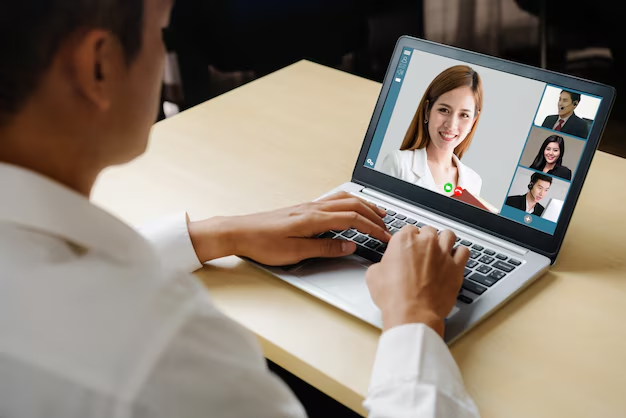
How to Ace a Video Interview: Preparation Tips That Actually Work
Video interviews are now a standard part of hiring across nearly every industry. Whether it's a quick screening call or a full-panel interview conducted over video, the format comes with its own set of challenges — and its own set of advantages, if you prepare correctly.
The core issue most candidates miss: a video interview isn't just a regular interview held over a screen. The medium changes what interviewers notice, how you come across, and what can go wrong. Preparing specifically for video — not just for the questions — is what separates candidates who feel confident from those who feel like something was slightly off.
What Makes Video Interviews Different From In-Person
The most obvious difference is the physical setup, but the subtler differences matter more.
Eye contact works differently. In person, you look at someone. On video, making "eye contact" means looking at your camera, not at the person's face on your screen. Most candidates stare at the video tile — which reads as looking slightly downward to the interviewer. It's a small thing that creates a noticeable disconnect.
Energy and presence are compressed. On camera, facial expressions and vocal energy read differently than they do in a room. What feels animated and engaged in person can look flat on video. Slight overcompensation — a bit more energy, clearer enunciation, deliberate nodding — often reads naturally on screen.
Technical problems can derail you mid-answer. Audio cutting out, a freezing screen, or background noise can interrupt your train of thought and create awkward pauses. These aren't just inconveniences — they affect how composed and prepared you appear.
Setting Up Your Environment Before the Interview 🎥
Your physical setup is the one variable that's entirely within your control before the interview starts. Use that.
Camera, Lighting, and Framing
- Camera at eye level. A camera below your face shoots upward, an unflattering and oddly casual angle. Stack books, use a stand, or adjust your monitor height so the lens sits at or slightly above eye level.
- Face the light. Natural light from a window in front of you is ideal. Light coming from behind you turns you into a silhouette. If your setup doesn't have good natural light, a simple desk lamp positioned in front of you makes a significant difference.
- Frame yourself like a headshot. Your face and upper chest should fill most of the frame — not so close it feels intrusive, not so far you look small. Leave a small amount of space above your head.
Audio
Poor audio is more disqualifying than poor video. Interviewers can forgive a slightly grainy image far more readily than words they can't understand.
- Use headphones with a built-in microphone when possible — they typically pick up your voice more clearly than a laptop's built-in mic.
- Eliminate background noise: close windows, silence your phone, notify anyone nearby.
- If you're in an echoing space (hardwood floors, bare walls), adding soft furnishings behind you — a bookshelf, curtains — absorbs sound.
Background
Your background communicates something before you say a word. A clean, neutral background — a plain wall, a tidy bookshelf — is generally safe across most industries and roles. Blurred or virtual backgrounds can work, but they sometimes behave unpredictably with movement and can look artificial. If you use one, test it thoroughly beforehand.
Technical Preparation: Don't Leave This to the Day Of
💻 Test everything in advance — ideally the day before and again an hour before the interview.
| What to Check | Why It Matters |
|---|---|
| Platform installation and login | Some platforms (Zoom, Teams, HireVue, etc.) require downloads or account setup |
| Camera and microphone permissions | Operating system settings can block app access even after installation |
| Internet connection stability | A wired connection is more reliable than Wi-Fi when possible |
| Backup plan | Know your interviewer's phone number or email in case of a technical failure |
| Browser vs. app | Some platforms work better through one or the other — test both if uncertain |
Have the meeting link, any login credentials, and the interviewer's contact details saved somewhere you can reach them quickly if something breaks.
How to Present Yourself on Camera
The Eye Contact Technique
During your answers, look at your camera lens, not the video tile. This reads as direct eye contact to the interviewer. You can glance at their face while they're speaking — that feels natural — but when you're talking, camera lens is where your eyes should land most of the time. It takes practice. Do a test call with a friend specifically to work on this.
Posture and Energy
Sit up straight without looking rigid. Lean forward very slightly — it signals engagement. On camera, slouching reads as indifference more than it might in person.
Speak at a pace that's slightly slower and more deliberate than your normal conversation. Compression in audio and slight delays can cause words to blur together. Clear pauses between thoughts help interviewers follow you.
What You're Wearing
Dress as you would for an in-person interview at that company, with one additional consideration: solid colors generally read better on camera than busy patterns, which can create visual interference on screen. Avoid white near your face if you're on a white background — you'll blend together.
Preparing for the Questions Themselves
The format changes; the fundamentals of interviewing don't. 🎯
Research the company and role the way you would for any interview. Understand what the organization does, what the role requires, and where they're headed. Generic answers are easier to spot in a stripped-down video environment where there's less to distract from your words.
Prepare structured answers. The STAR method (Situation, Task, Action, Result) gives behavioral answers a clear arc that's easier to follow over video, where verbal communication carries more of the load than it does in person.
Prepare your own questions. Thoughtful questions signal genuine interest and preparation. Having two or three ready — about the team, the role's challenges, or what success looks like in the position — matters just as much here as it would in a room.
Print or write down key notes. One legitimate advantage of video interviews: you can keep a small notepad or a few bullet points nearby without it being conspicuous. Don't read from a script — that's obvious and undermining — but a few prompts for key examples or questions you want to ask is a reasonable and practical use of the format.
Before You Log On: The Final Checklist
Run through this in the 30 minutes before the interview starts:
- [ ] Device charged or plugged in
- [ ] Platform tested and logged in
- [ ] Camera at eye level, lighting facing you
- [ ] Background checked on-screen (not just behind you)
- [ ] Headphones connected and audio tested
- [ ] Phone silenced, notifications off
- [ ] Relevant notes within sight but off-screen
- [ ] Interviewer's contact info accessible
- [ ] A glass of water nearby
What Trips People Up (And How to Handle It)
Awkward pauses. A slight delay in audio can make a natural pause feel uncomfortably long. It's okay to say "I want to take a second to think about that" — interviewers understand the medium.
Talking over each other. Without physical cues, it's easy to interrupt unintentionally. When in doubt, pause a beat longer than you think you need to before responding.
Technical failures mid-interview. If something breaks, stay calm and address it directly: "I think my audio cut out — would you mind repeating that?" or "I'm going to disconnect and rejoin — give me 30 seconds." Handling disruption gracefully is itself a form of composure that interviewers notice.
Forgetting the camera. The single most common thing candidates forget in the moment. If you catch yourself looking at the screen instead of the lens, gently correct it. It becomes natural with practice.
The factors that ultimately determine how a video interview goes — your qualifications, how well your experience aligns with the role, how you communicate under pressure — are the same ones that determine any interview outcome. What preparation does is remove the variables that are entirely within your control, so your actual performance is what gets evaluated.